 Bridge
A timetable that is built in days, not weeks.
Set your bell schedule and rooms, build each section’s week with clash checks, and publish. Teachers and students see their day in the app.
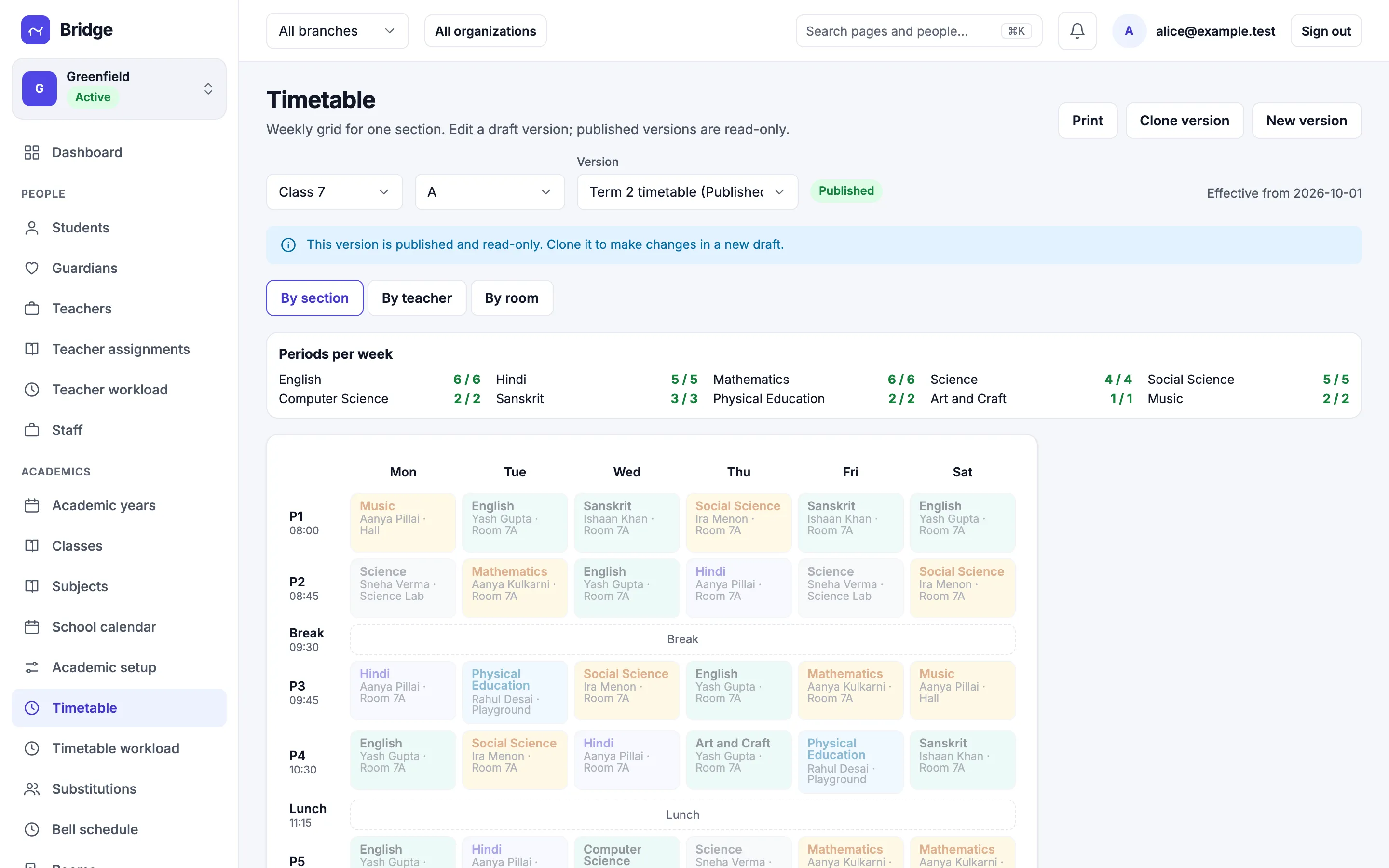
Build
Clash checks while you build.
Fill the week for a section and Bridge counts periods per subject and warns when a teacher or room is already busy. Switch to a teacher’s or a room’s week at any time.
- Periods per week per subject
- Teacher and room clash warnings
- By section, teacher or room
For teachers
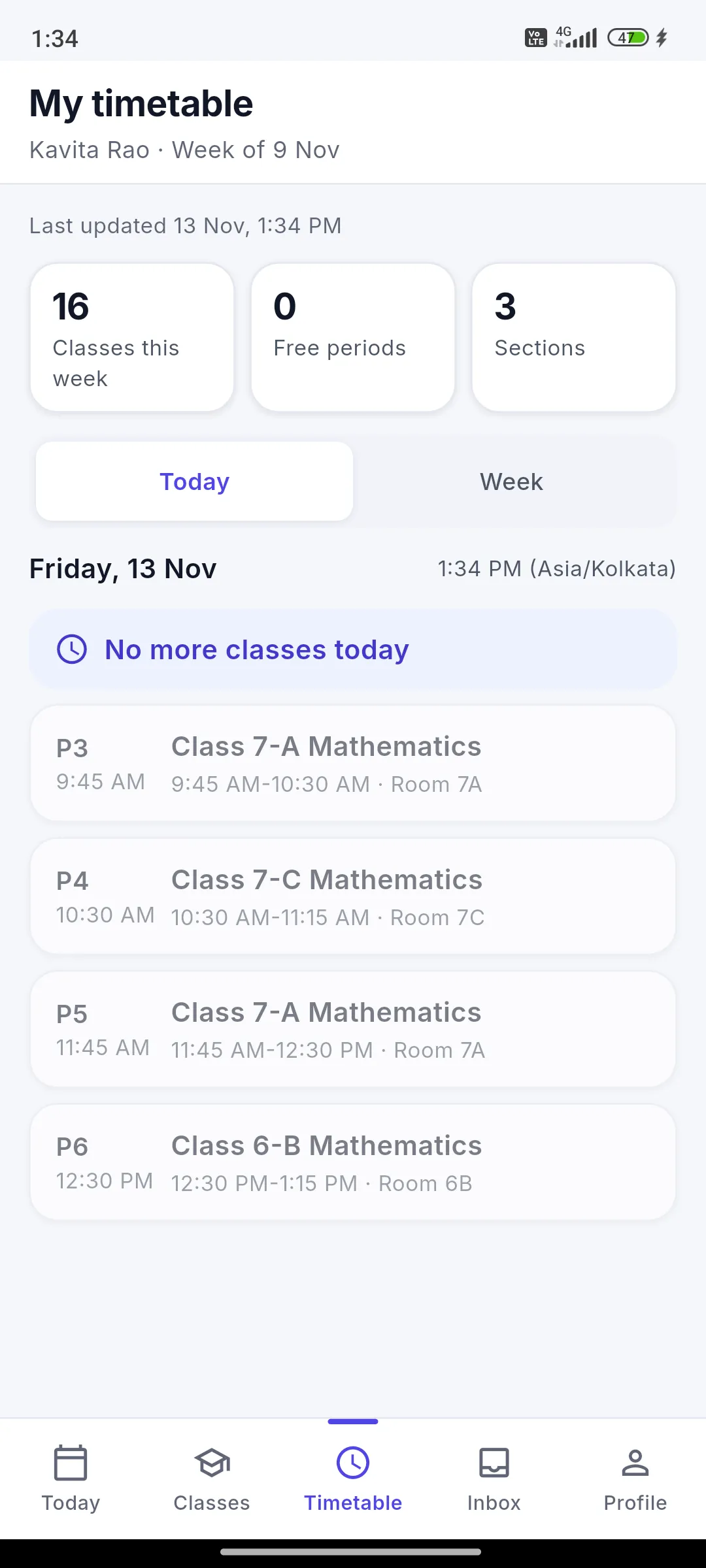
Today's periods on the phone.
Each teacher sees their periods for the day, with room and section, and any substitution they have been given.
- Day and week view
- Substitutions show up at once
- 12-hour times, as on the school bell
Versions and substitutions
Change the timetable without breaking the week.
Work on a draft while the published version stays live. Publish from a date. When a teacher is away, assign a substitute for just those periods.
- Draft and published versions
- Substitutions by period
- Teacher workload report